


Sesame Street Games Club
4.240.00 Reviews
App Specs
- Version
- 11.0.0
- Updated On
- License
- Free
- Downloads
- 500,000+
- Developer
- StoryToys
- Categories
- Educational
- Platform
- Android
Screenshots

 Analysis by AppCompare
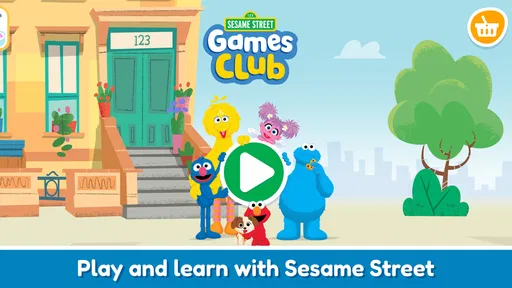
If you’re a parent, chances are you’ve heard of Sesame Street Games Club. And if you haven’t, well, let me take you on a quick tour of why this app might just become your new best friend. It’s packed with fun and educational content that your kids will love, and it’s all wrapped up in the warm, fuzzy nostalgia of Sesame Street. Who doesn’t love Elmo and the gang, right?
A small play session with a learning purpose
The central appeal here is the bite-sized format. Sesame Street Games Club is an educational game from StoryToys, built around short activities for preschool children rather than a long lesson they have to finish in one sitting. That distinction matters at home: a child can try a small challenge while an adult gets a few minutes to make breakfast, or you can sit together and use an activity as a starting point for conversation.
For me, the useful question is not whether an app can replace a book, a toy, or time with a parent. It cannot. The better question is whether it gives a young child a friendly way to practise paying attention, noticing patterns, or engaging with early learning ideas. Sesame Street characters can make that first invitation feel familiar, especially for a child who already enjoys the show.
The game is free to download, and it is rated for Everyone. Its current version is 8.3.0, and it requires Android 8.0 or later on Android devices. The game has an average rating of 4.0 from around 1,500 ratings, with over 500,000 installs. Those figures suggest that it has found an audience, but they do not tell me whether a particular child will enjoy its style; temperament and age matter more than popularity.
What's Inside the Playground?
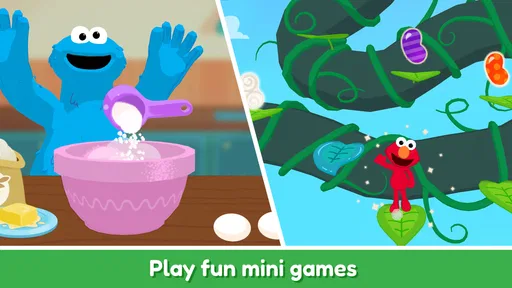
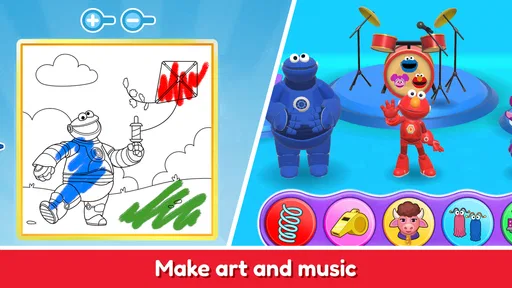
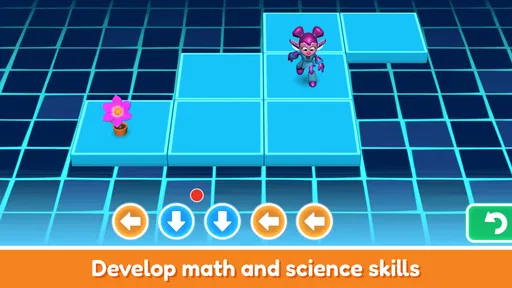
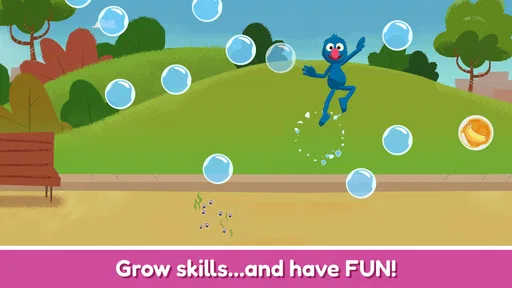
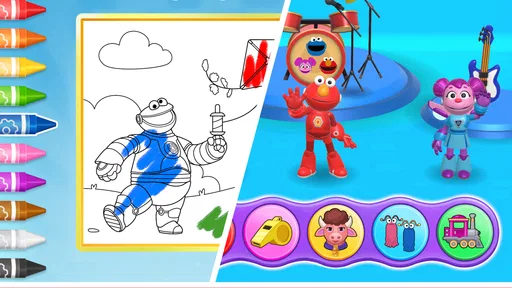
So, what’s the deal with Sesame Street Games Club? Basically, it’s a treasure trove of interactive games and activities designed to teach little ones essential skills in a fun and engaging way. The app offers a wide range of games that cover everything from basic math and literacy to emotional development and creativity.
Each game is like a mini adventure with your favorite Sesame Street characters guiding the way. Elmo might take your kiddo on a counting adventure, while Abby Cadabby conjures up some magical spelling fun. It’s like having the whole Sesame Street gang as personal tutors, minus the snack breaks.
Learning Made Fun
One of the standout features of the app is how seamlessly it blends learning with play. I mean, some educational apps can feel a bit too much like homework, right? But not this one. The games are designed to be engaging and entertaining, making learning feel less like a chore and more like playtime.
Worth Reading Before You Choose

EA SPORTS FC Mobile 26 Is a Bigger Football Game, but It Takes Time

Flipboard Shows What News Apps Must Do Beyond the Feed

Switching to Android Auto Means Rethinking Your Driving Routine

Google Calendar Makes a Crowded Week Easier to Manage

Ludo King Makes the Most of the Minutes Between Plans

Baby Panda World Brings Quick Play to Modern Phones, but Its Game Library Feels Busy
For example, there’s a game where kids can help Cookie Monster sort shapes while munching on his favorite cookies. It’s a genius way to teach shapes and sorting without them even realizing they’re learning. Sneaky, huh?
Making short sessions work in real life
I would treat these activities as a focused pause, not as a default way to fill every quiet moment. A realistic routine might be letting a preschooler choose one game while you wait for a sibling’s appointment to begin, then asking them afterward what they noticed or which character helped. That small follow-up turns screen time into a shared moment without turning it into a quiz.
There is also a practical advantage to keeping the session brief: you can stop while the child is still engaged instead of waiting until frustration sets in. If your child tends to tap rapidly through instructions, sitting nearby at first can help them understand the task before they explore independently. I would let them make choices, but offer a simple prompt such as “What do you think happens if you sort these another way?” That encourages attention without taking over.
Compared with a paper activity book, the app can make a task feel more responsive and character-led; compared with a general video, it asks the child to take part rather than only watch. Neither alternative is automatically better. A book is easier to share away from a screen and can suit a child who likes drawing or handling objects, while a video may be a calmer choice when a child is tired and not ready to make choices. I see the game as one option in a mix, rather than a replacement for either.
What parents should check before settling in
The download is free, but the game includes in-app purchases ranging from $2.99 to $29.99 per item. That changes the practical decision: I would check the purchase options before handing over a device, and make sure the child knows that not every tempting prompt means they should tap it. An adult can also decide in advance whether any paid content fits the family’s budget instead of negotiating about it mid-play.
The app is aimed at preschoolers, but children do not all approach games at the same pace. A child who is just beginning to use a touchscreen may need help locating an activity and understanding what it asks. Another may be comfortable navigating but quickly lose interest if they prefer open-ended play. I would try it alongside the child before treating it as an independent activity, then judge by whether they stay curious and can move on easily when the session ends.
One useful approach is to connect an on-screen idea to something nearby. If a child has just sorted shapes in a game, you can ask them to find a circle or square on a plate, toy, or book. This is a low-effort way to make the activity feel relevant beyond the device, and it gives you a better sense of what they understood than simply asking whether they liked it.
Parental Peace of Mind
As a parent, I know how important it is to feel good about the content your kids are interacting with. With Sesame Street Games Club, you can rest easy knowing the games are not only educational but safe and age-appropriate. The app is designed with kids in mind, featuring a user-friendly interface that even the youngest users can navigate.
Plus, there’s no pesky ads or in-app purchases to worry about. Once you’re in, you’re free to explore without any interruptions. It’s a refreshing change from some other apps out there, believe me.
Room for Improvement?
Now, no app is perfect, and while Sesame Street Games Club hits all the right notes, there are always a few areas where it could improve. For instance, some parents might find the monthly subscription a tad pricey compared to other educational apps. However, considering the quality and breadth of content, it’s a worthwhile investment in your child’s learning journey.
Another minor gripe could be the occasional technical hiccup. Like any app, it’s not immune to the odd glitch or slow load time. But honestly, nothing that a quick restart can’t fix.
Where it may not be the right fit
I would look elsewhere if you want a structured course with clear progress reports, a specific school-readiness plan, or a quiet activity that does not involve a screen. This is best approached as playful practice, not as a way to measure a child’s ability or guarantee a particular learning outcome. For a child who finds familiar characters distracting, a simple matching game with fewer visual cues may be a better fit.
It may also be a poor choice when you need a completely hands-off experience but have not yet checked how your child handles the app. Young users can be drawn toward purchase prompts or may need help moving between activities, so the first session is worth supervising. If your family prefers to avoid in-app spending altogether, the free download alone does not make that concern disappear; check the available purchase choices and your device’s safeguards before use.
The Final Verdict
All in all, Sesame Street Games Club is a delightful app that delivers on its promise of fun and educational content. It’s perfect for young children who love the characters of Sesame Street and for parents who want to give their kids a head start in learning. The app offers a safe, engaging, and frustration-free environment that makes learning a delightful adventure.
So, if you’re on the lookout for an educational app that combines fun with learning, this might just be the perfect fit. It’s like having Sesame Street in your pocket, ready to entertain and educate at a moment’s notice. Give it a try, and watch your little ones’ faces light up!
Pros
- Engaging educational content for kids.
- Features beloved Sesame Street characters.
- User-friendly interface for young children.
- Regular updates with new games.
- Safe
- ad-free environment for kids.
Cons
- Requires a subscription for full access.
- Limited offline functionality.
- Some games may be too easy for older kids.
- Initial setup can be confusing for parents.
- Takes up considerable storage space.
FAQs for Sesame Street Games Club
What age group is Sesame Street Games Club suitable for?
Sesame Street Games Club is designed primarily for children aged 2 to 5 years old. It offers a range of educational games that are both entertaining and age-appropriate. Parents can feel confident that the content is tailored to support the developmental stages of early childhood learning.
Are there any in-app purchases in Sesame Street Games Club?
Yes, Sesame Street Games Club does include in-app purchases. While the app offers a variety of free content, some games and features may require additional purchases. These are designed to enhance the learning experience, but parents can control and manage these purchases within the app settings.
Is Sesame Street Games Club available offline?
Sesame Street Games Club requires an internet connection for initial setup and to access certain features and updates. However, many of the games can be downloaded for offline play, allowing children to enjoy learning activities without needing a constant internet connection.
Does Sesame Street Games Club support multiple user profiles?
Yes, Sesame Street Games Club supports multiple user profiles, making it a great choice for families with more than one child. Each profile allows for personalized learning experiences, tracking individual progress and preferences, ensuring that each child gets the most out of their playtime.
What educational benefits does Sesame Street Games Club offer?
Sesame Street Games Club offers a variety of educational benefits, including foundational skills in literacy, numeracy, and social-emotional learning. The games are designed in collaboration with educational experts to ensure they are both fun and instructive, helping children develop important skills during their early years.


